To completely swap out reCAPTCHA for Cloudflare Turnstile in Contact Form 7, you need to grab two free keys from Cloudflare and drop them into your WordPress dashboard.
Step 1: Generate your free Turnstile keys
- Log into your Cloudflare Dashboard. If you do not have an account, you can create one for free.

-
- In the left-hand navigation sidebar, click on Turnstile.
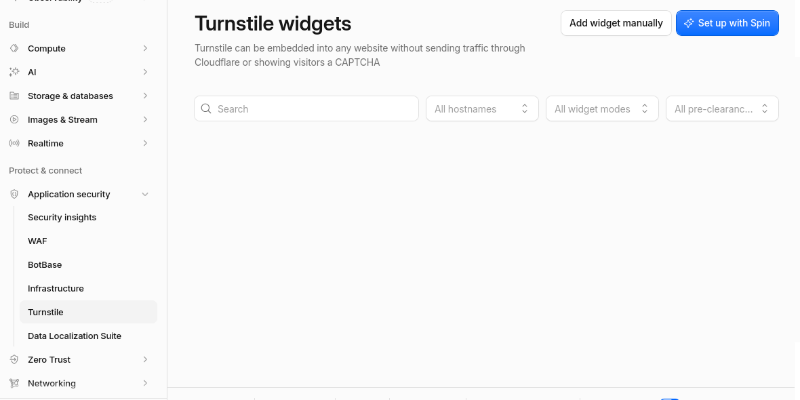
- Click the Add widget manually button.
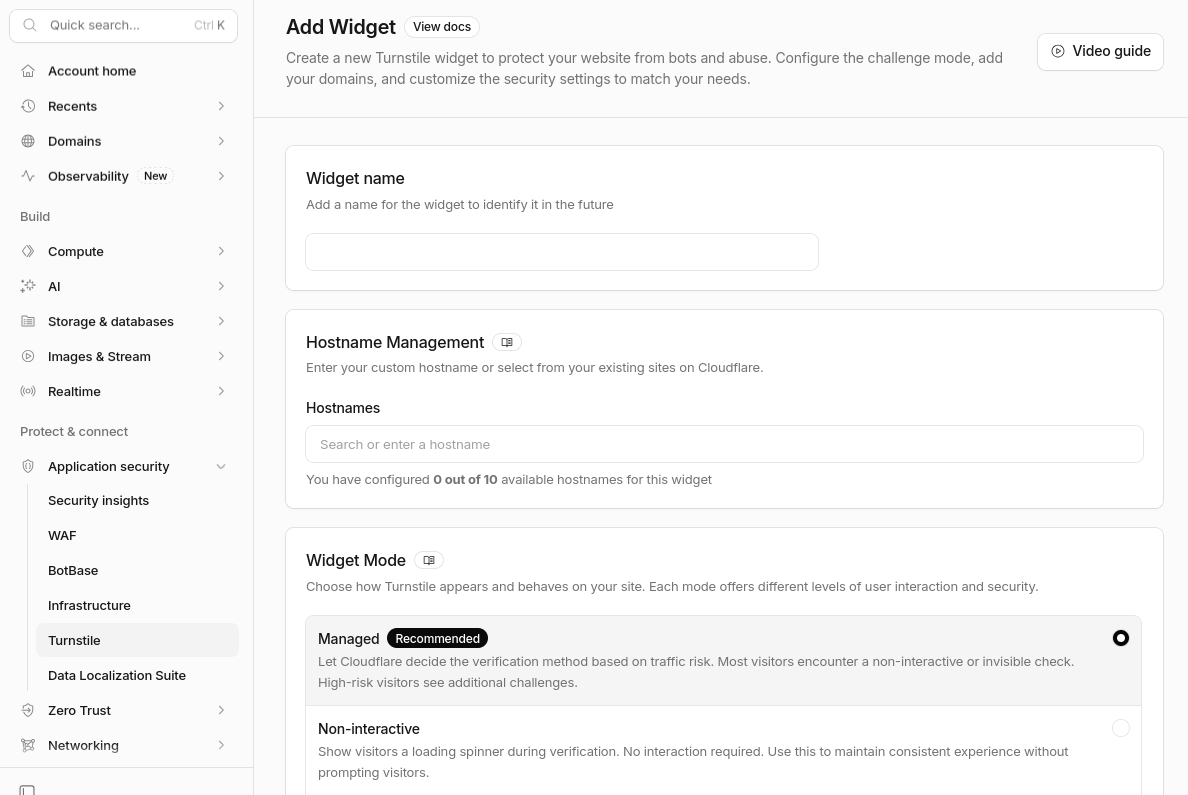
- Fill out the configuration fields:
-
- Site name: Enter a recognizable name (e.g., My WordPress Site).
- Domain: Enter your website’s domain name (e.g., yourdomain.com).
- Widget Type: Choose Managed (highly recommended, as it automatically checks for bots via non-interactive challenges without bothering real users).
-
- Click Create.
- Cloudflare will immediately display two long strings of text: a Site Key and a Secret Key. Keep this window open.
- In the left-hand navigation sidebar, click on Turnstile.
Step 2: Remove your old reCAPTCHA keys (If active)
-
- Log into your WordPress admin dashboard.
- Navigate to Contact > Integration.
- Scroll down to the reCAPTCHA box and click Remove Keys. (If you don’t see this option or it’s empty, skip to the next step).
Step 3: Add the Turnstile keys to WordPress
-
- On that same Contact > Integration page in WordPress, look for the Cloudflare Turnstile integration box.
- Copy the Site Key from your Cloudflare dashboard and paste it into the Site Key field in WordPress.
- Copy the Secret Key from Cloudflare and paste it into the Secret Key field in WordPress.
- Click Save Changes.
Step 4: Verify your forms
Contact Form 7 automatically applies Turnstile globally across all forms once the keys are saved. Open up one of your pages containing a contact form in an incognito window. You should see a clean, modern Cloudflare box load effortlessly right above or below the submit button—with no grainy traffic lights or bicycles in sight.
Let me know if you run into any layout alignment issues with the new widget, or if you want to double-check that your server’s caching / firewall rules aren’t blocking the new scripts. How does it look on the live page?